
Leave it in: click2BIM handles this
- Furniture, lamps and fittings inside the rooms
- Clutter, boxes and loose objects on the floor
- Any ordinary interior object, as long as it sits within the building’s own boundary
Guide
click2BIM turns a clean point cloud into an accurate model in minutes. A few minutes spent preparing the scan first is the difference between a model that needs touching up and one that doesn’t. Here is what to check before you upload.

Our current automated scope is deliberately fixed and dependable: floor slabs, ceilings, walls, doors and windows, plus flat roofs. That is the geometry click2BIM resolves deterministically from your scan, on every upload.
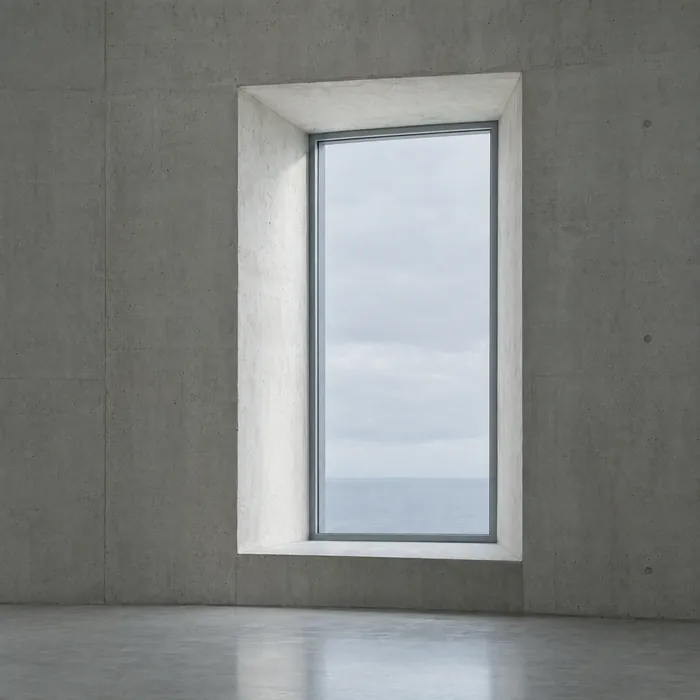
Every point cloud contains noise: points that don’t belong to the building elements we model. What matters is where that noise sits. Our algorithms already handle one kind. The other kind, you need to remove first.
Why the distinction matters
Exterior noise sits on the building’s boundary: the surface our geometry is actually solving for.
Interior noise sits inside the building’s own geometry, so our algorithm can reason around it. That is why exterior noise has to go before you upload, not after.

A point cloud containing more than one building isn’t a valid upload. If your scan captures a main house and a second structure, such as an outbuilding, a garage or a neighbouring property, separate them before you process anything.
Upload each building individually. This is less a limitation of the algorithm than a definition of the task: click2BIM resolves one coherent structure per model, the same way a BIM manager scopes one file per building.
The same point cloud, worked through four stages. This is the progression we recommend before every upload.
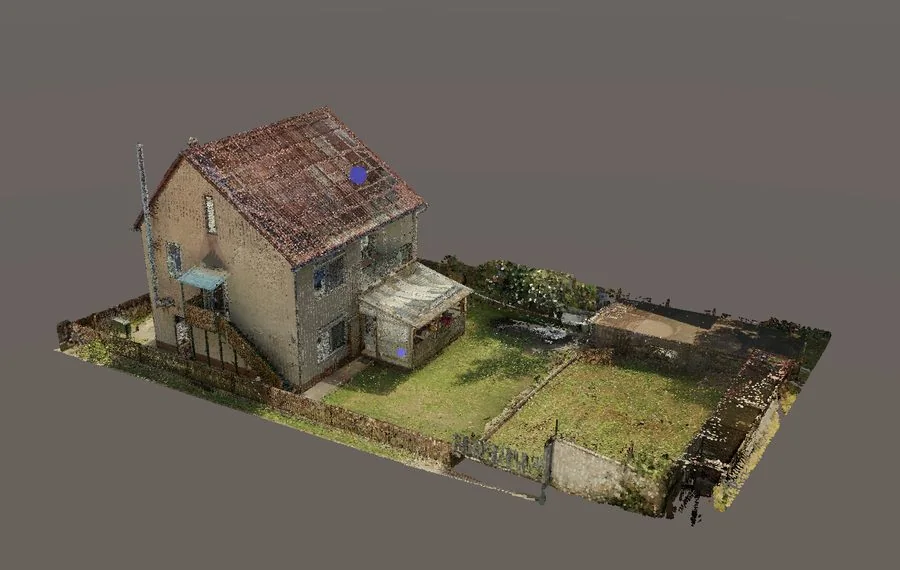
Stage 1 of 4: Invalid
01 · Original point cloud
Contains more than one building. A scan like this needs splitting, so each building is processed on its own.
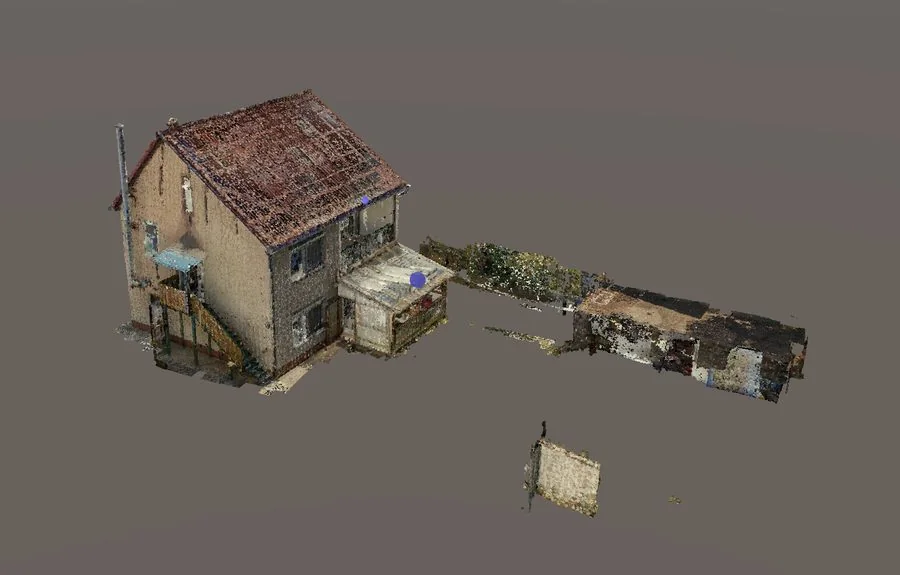
Stage 2 of 4: In progress
02 · Greenery removed
The surrounding vegetation is cleared, but the second structure is still there. Not ready to upload yet.
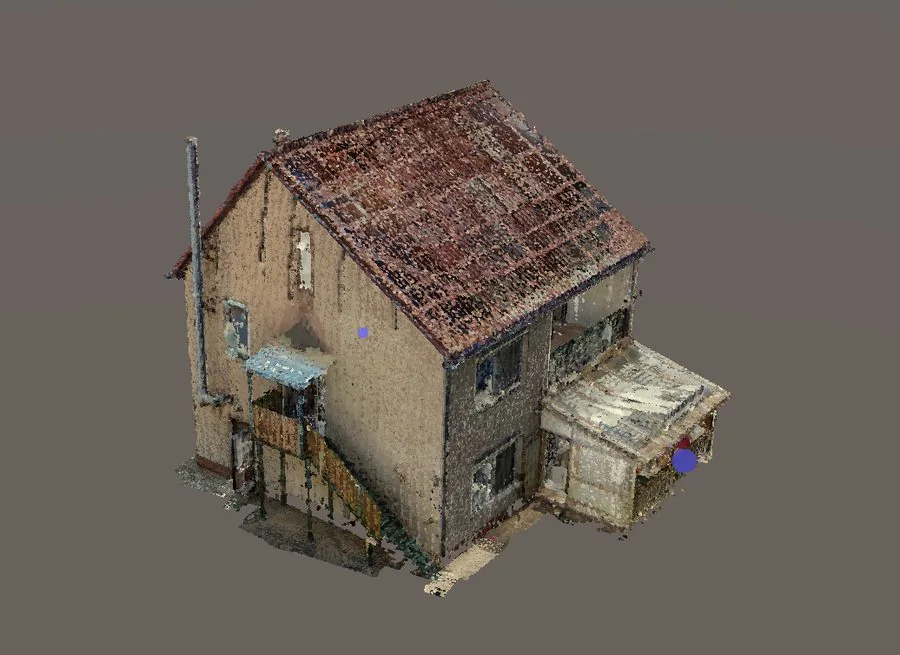
Stage 3 of 4: Almost good
03 · Second building removed
One building remains and the worst of the noise is gone. A final pass on the boundary is all that is left.
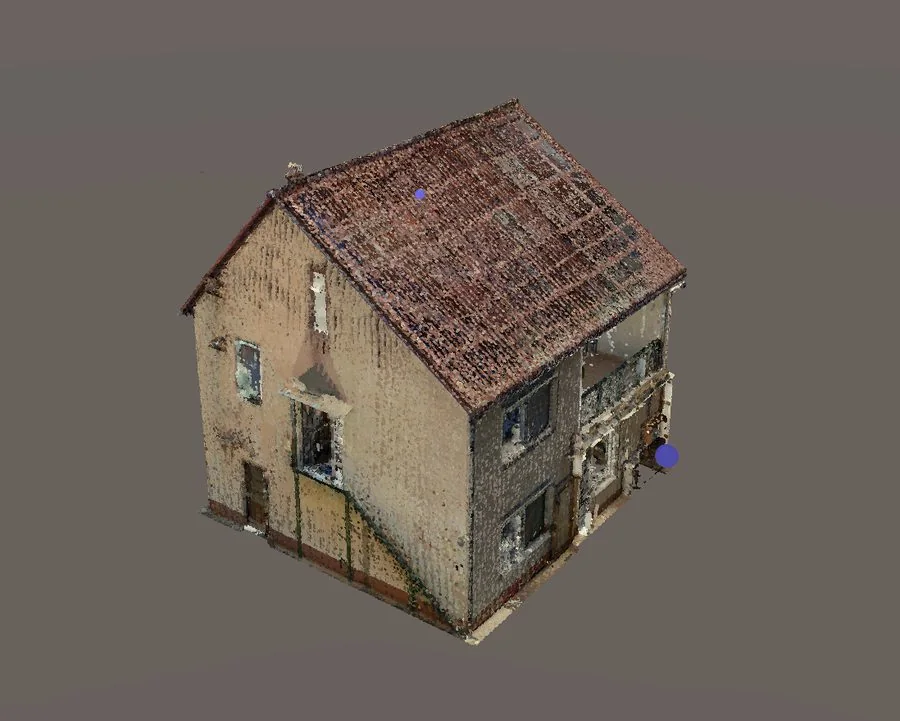
Stage 4 of 4: Ideal
04 · De-noised
One clean building, with no exterior clutter on its boundary. This is what gives you the best possible result.

Removing exterior noise is a quick job in any standard point cloud tool, and one step makes it quicker still.
Standard approach
Open the raw scan in the point cloud tool you already use and remove the exterior elements described above: conservatories, exterior stairs, disconnected structures and anything clearly outside the building envelope. For most residential scans, this takes minutes.
Faster approach
Run the scan through click2SLIM before de-noising. It compresses and orders the point cloud, which makes the boundary between building and non-building points far easier to see, so the clean-up that follows goes faster.
See click2SLIMPrepare your point cloud with the checks above, then upload it. You see the floor area, the price and the model before you pay.